
Guided Setup
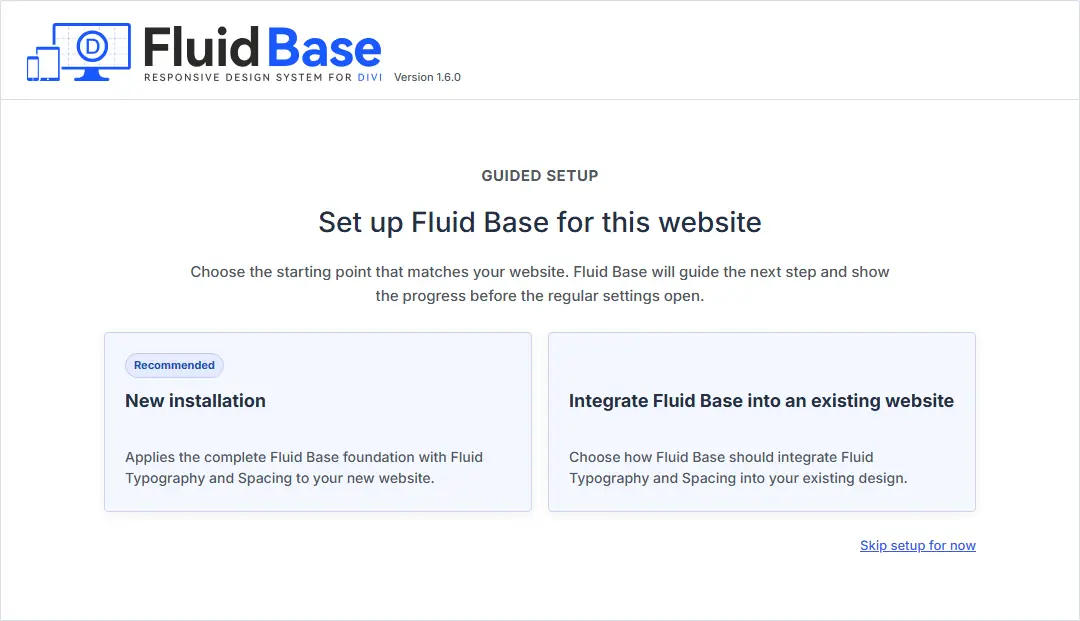
Fluid Base 1.6 adds a guided setup for Divi 5 and changes how presets are applied. On first open, the setup asks whether Fluid Base is being used on a new or existing website.
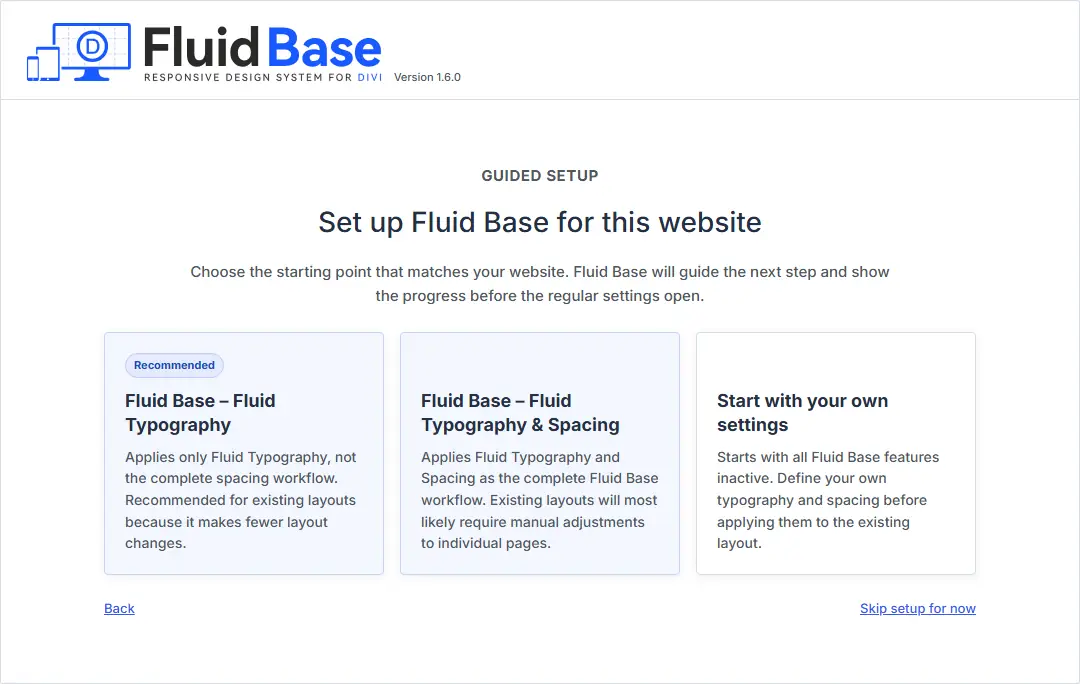
Existing websites can start with:
- Fluid Typography
- Fluid Typography & Spacing
- Custom Setup – No Active Settings
Fluid Typography changes supported text settings while leaving the shared spacing system inactive. Typography & Spacing applies the complete workflow. Existing layouts will most likely require adjustments after it is applied.
Reversible Preset Changes
Before replacing supported Divi settings, Fluid Base records their original values.
When switching to a smaller preset, settings that are no longer managed return to their recorded Divi values unless they were deliberately changed afterward. This also applies when switching to No Active Settings.
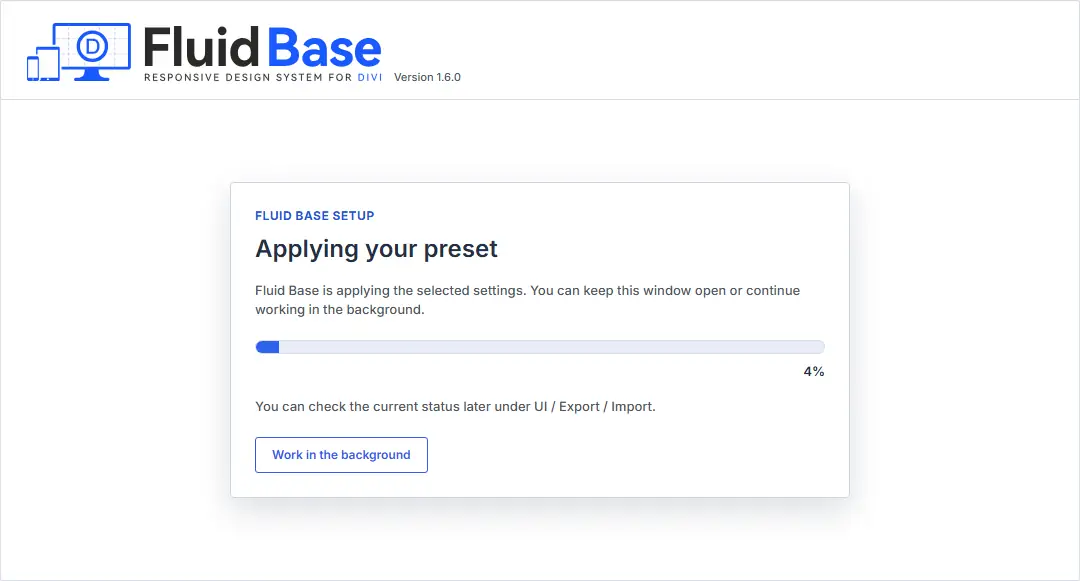
Divi 5 now uses one preset action and shows progress with a percentage. You can continue working while it runs. The current status is available under UI / Export / Import › Override Sync › Status.
Divi 4 continues to update generated CSS without rewriting saved shortcode content.
Neutral Settings and Updated Manual
Custom Setup – No Active Settings now leaves all Fluid Base effects inactive. Font Size and Line Height are controlled separately, remaining corrections use explicit Divi Fix settings, and native Row sizing remains unchanged when no Fluid Base width option is active.
The User Manual includes the new setup workflow and updated screenshots.