

Fluid Base for Divi 1.5 Update
A Clearer Interface, More Layout Control, and a Completely New Manual
Fluid Base 1.5 reorganizes the settings interface, adds separate content-width controls for headers and footers, and makes preset actions easier to understand. It also includes a completely rewritten Manual for new and existing Divi websites.
User feedback helped shape this update. We focused on actions that were easy to misread and settings pages that showed too much information at once. Version 1.5 gives those actions clearer labels and keeps detailed guidance beside the settings it explains.
A Cleaner and More Readable Interface
The Fluid Base admin interface now has a clearer visual structure. Related settings are grouped more consistently, controls use the color of their section, and spacing between fields follows one shared layout. Inputs, switches, buttons, notes, and diagrams are easier to recognize as parts of the same settings block.
A new UI Max Width menu lets you choose between Fullwidth, 1600px, and 1080px. The 1080px default keeps long lines and settings tables readable on large screens, while the wider views remain available when you need more space.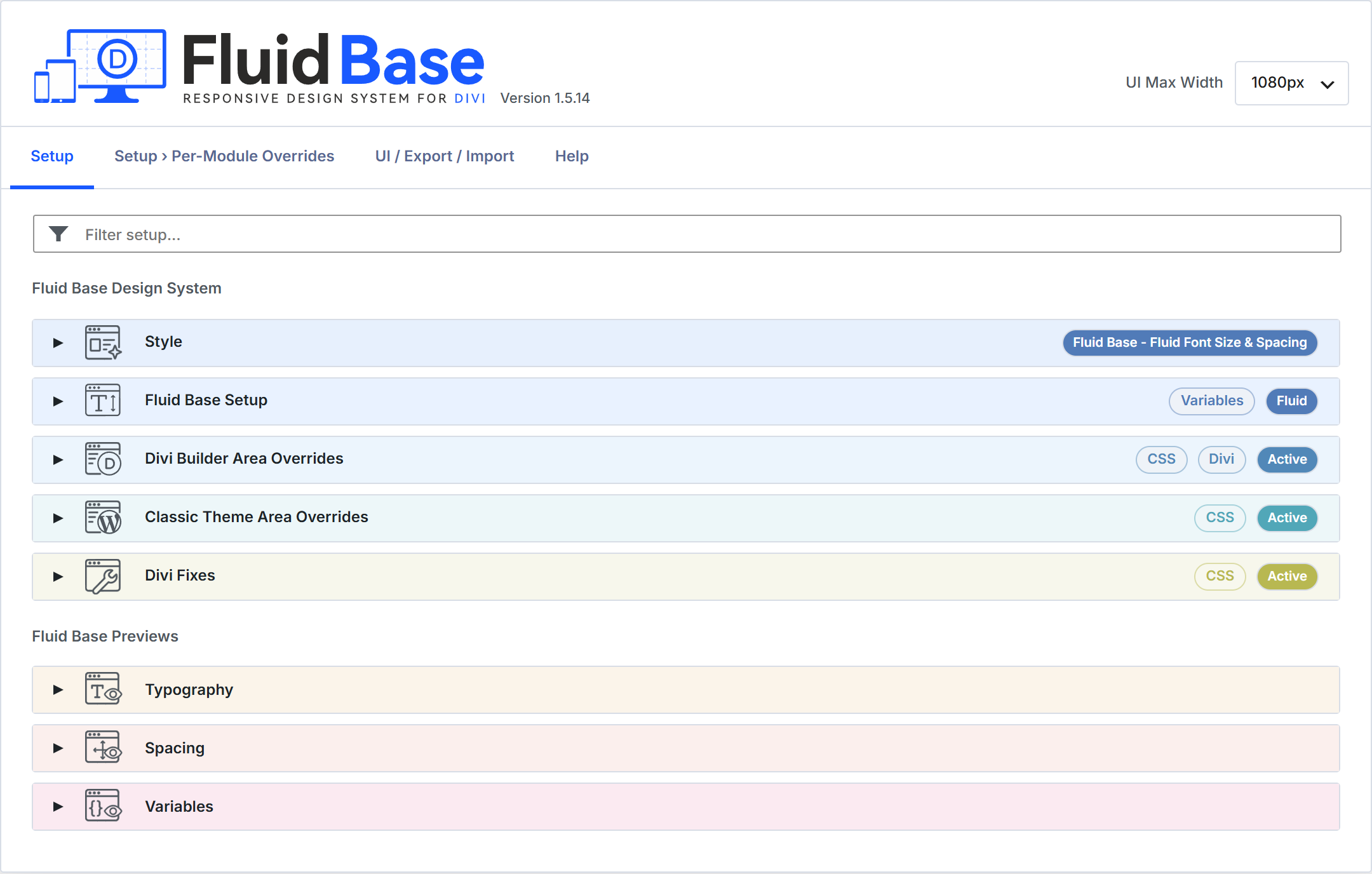
More Visual Guidance, Less Clutter
Some settings are easier to understand when the relationship is visible. Fluid Base 1.5 therefore adds spacing diagrams to the shared variables, Divi Builder Area Overrides, and Classic Theme Area Overrides. They show vertical spacing and list indentation directly where those values are configured.
Technical reference information has moved into compact info tooltips beside the relevant fields. Accepted values, recommendations, Divi references, and important limitations are still available, but they no longer fill the settings page permanently. The interface stays focused, and the additional explanation is one click away.
Better CSS and Variable Inputs
CSS and variable values now use one consistent control throughout Fluid Base. A compact switch lets you move between a manual CSS value and a named variable without working with two unrelated fields.
The variable menu shows useful Fluid Base variables with clearer names, while the closed field stays compact. Fluid Base remembers both input modes, so switching between a variable and a manual value does not discard the previous entry.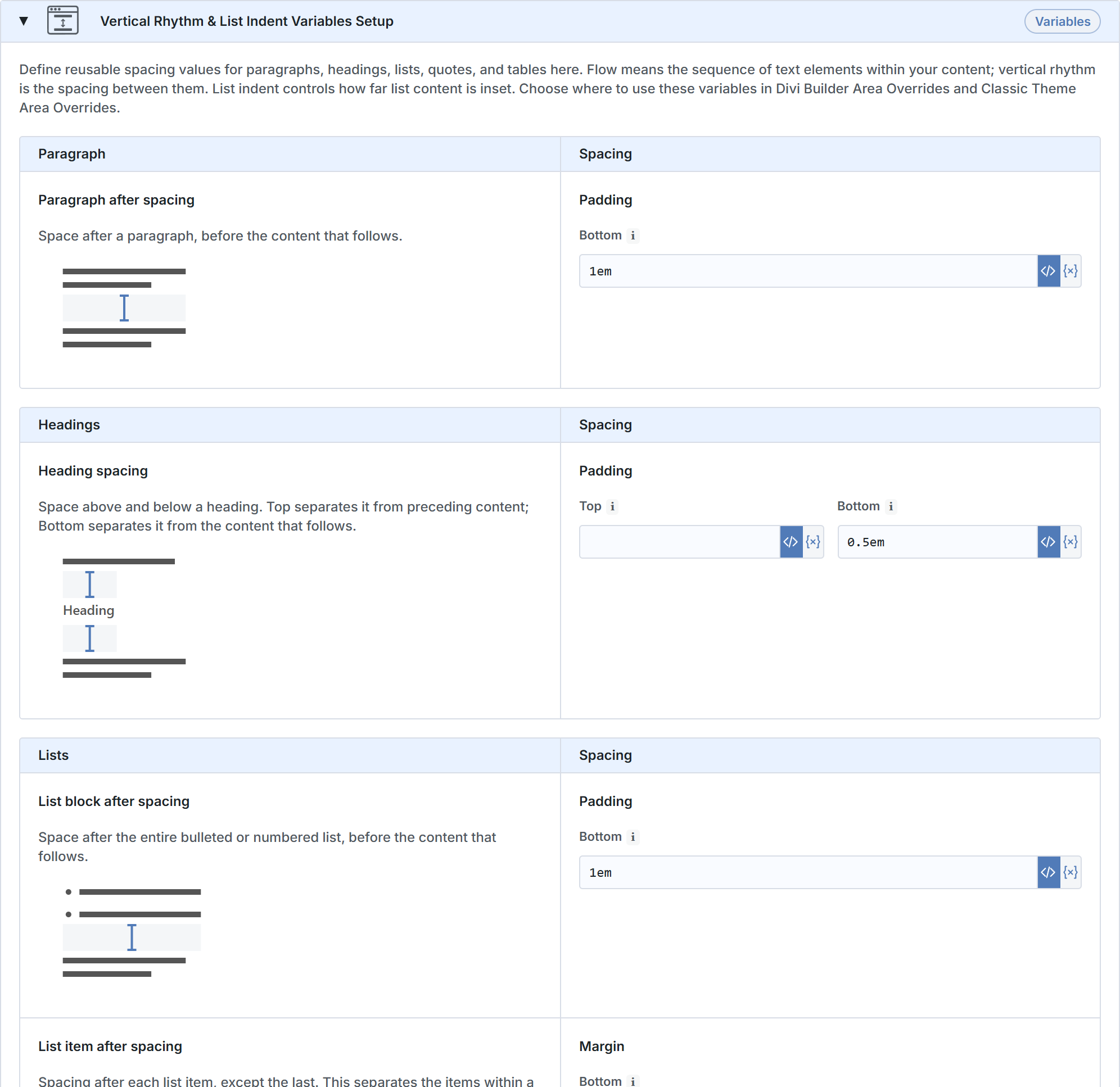
Website, Header, and Footer Content Width
Fluid Base 1.5 introduces a clearer width model for Divi 4 and Divi 5. Row Width controls how much of the available space a Row uses. Website Content Width sets a shared maximum in pixels, so the content does not keep growing on larger screens.
Header and Footer Content Width can now be configured separately. Both inherit Website Content Width until their own override is enabled. A website can use one shared maximum everywhere, or use a wider header and a different footer maximum when the design requires it.
For example, you can keep the main content narrower to hold the reader’s focus while giving the header more room for longer navigation menus.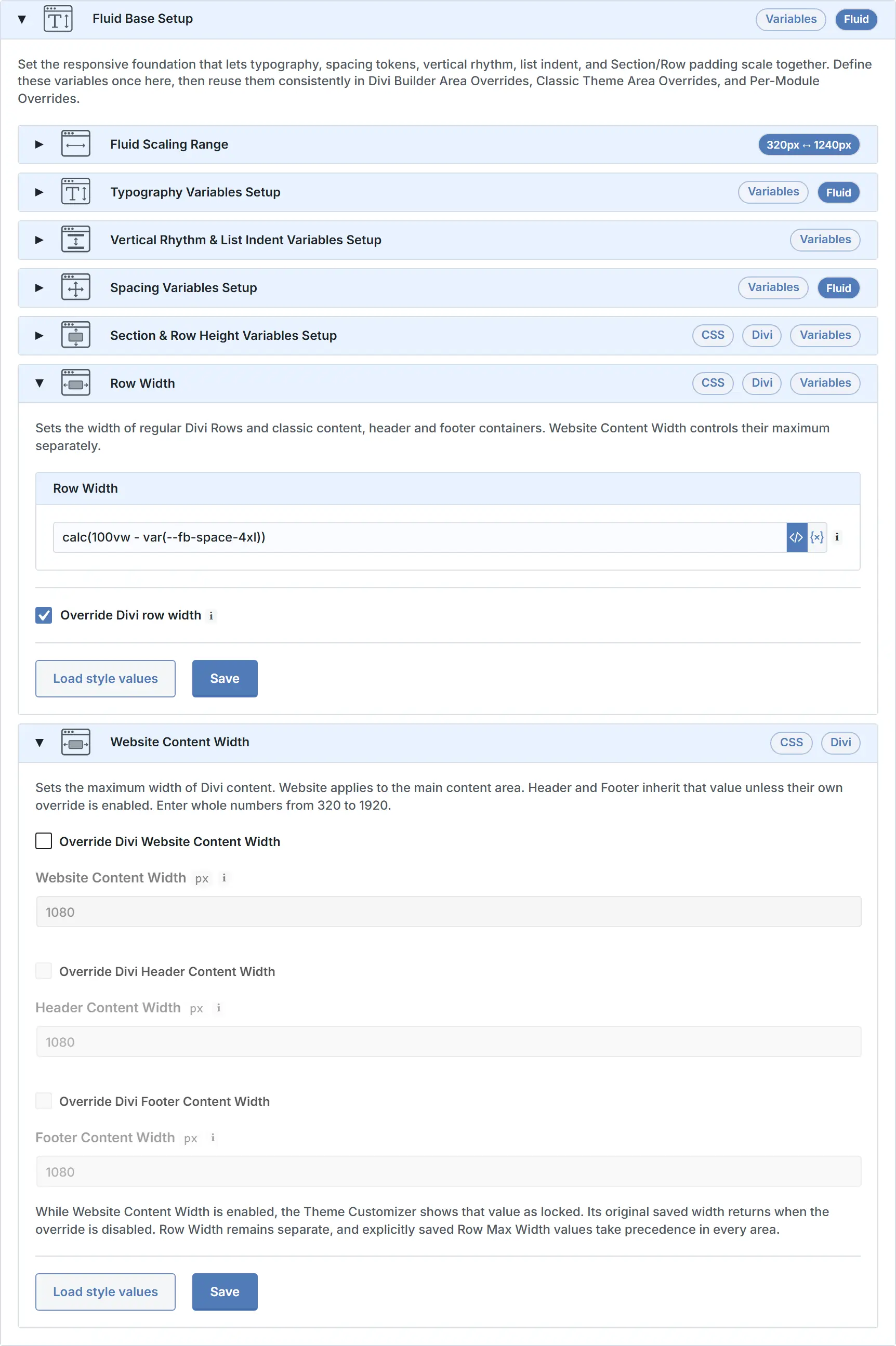
A Clearer Workflow for Existing Divi 5 Websites
Activating Fluid Base does not automatically replace every value already saved inside existing Divi 5 modules. Version 1.5 makes that boundary much clearer and puts the most useful preset action first.
In Divi 5, Replace settings & saved Builder values updates both the Fluid Base settings and supported values already saved in your layouts. Replace settings updates only the Fluid Base configuration and leaves those saved Builder values untouched. The Manual workflow for existing pages explains when to use each action and what to check afterward.
Divi 4 keeps a single preset action. The interface explains the difference before you apply a preset.
Improved Per-Module Controls
Per-Module Overrides now make it easier to distinguish settings shared by a module type from the controls for one selected module.
In Divi 5, the Fluid Base controls open as a native floating window, which keeps the explanations visible even when the normal module settings use the sidebar. Direct Builder links also make it easier to move from one selected module to its shared Fluid Base settings.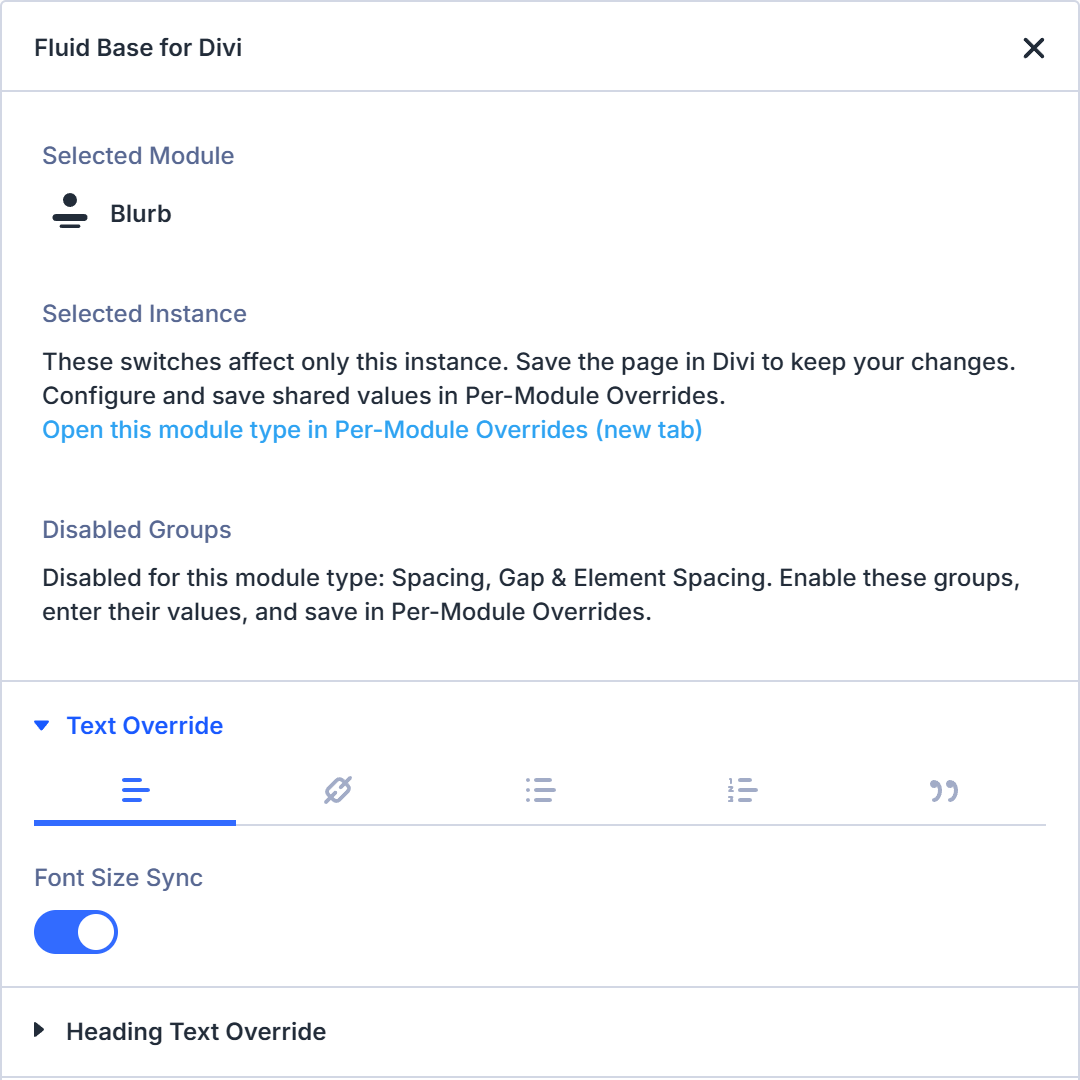
A Completely New Manual
The Plugin Manual and online Manual have been rewritten from the ground up. The new Manual focuses on concepts and complete workflows. It explains shared variables before using them, separates Divi Builder Areas from Classic Theme Areas, and provides clear paths for new and existing Divi 4 and Divi 5 websites.
Various Bug Fixes
New Divi 5 layouts now receive the active Section and Row height values correctly. Divi 4 Row widths are more reliable in the Visual Builder and in layouts with sidebars or Boxed Layout. The update also includes fixes for preset actions, imports, exports, and synchronization.
A Stronger Foundation for Real Divi Projects
Fluid Base 1.5 is easier to understand when starting a new project and easier to revisit when an existing project has grown. The interface stays focused, actions state more clearly what they change, and shared settings continue to respect local Divi decisions.
Thank you to everyone who shared feedback on Fluid Base. To explore the changes, start with the rewritten Manual and its walkthroughs for new and existing Divi websites.