
Fluid Base 1.8 adds searchable font selection for Divi’s theme areas and makes the Setup page easier to follow. You can also see more clearly which layout overrides are active.
Searchable Font Selection
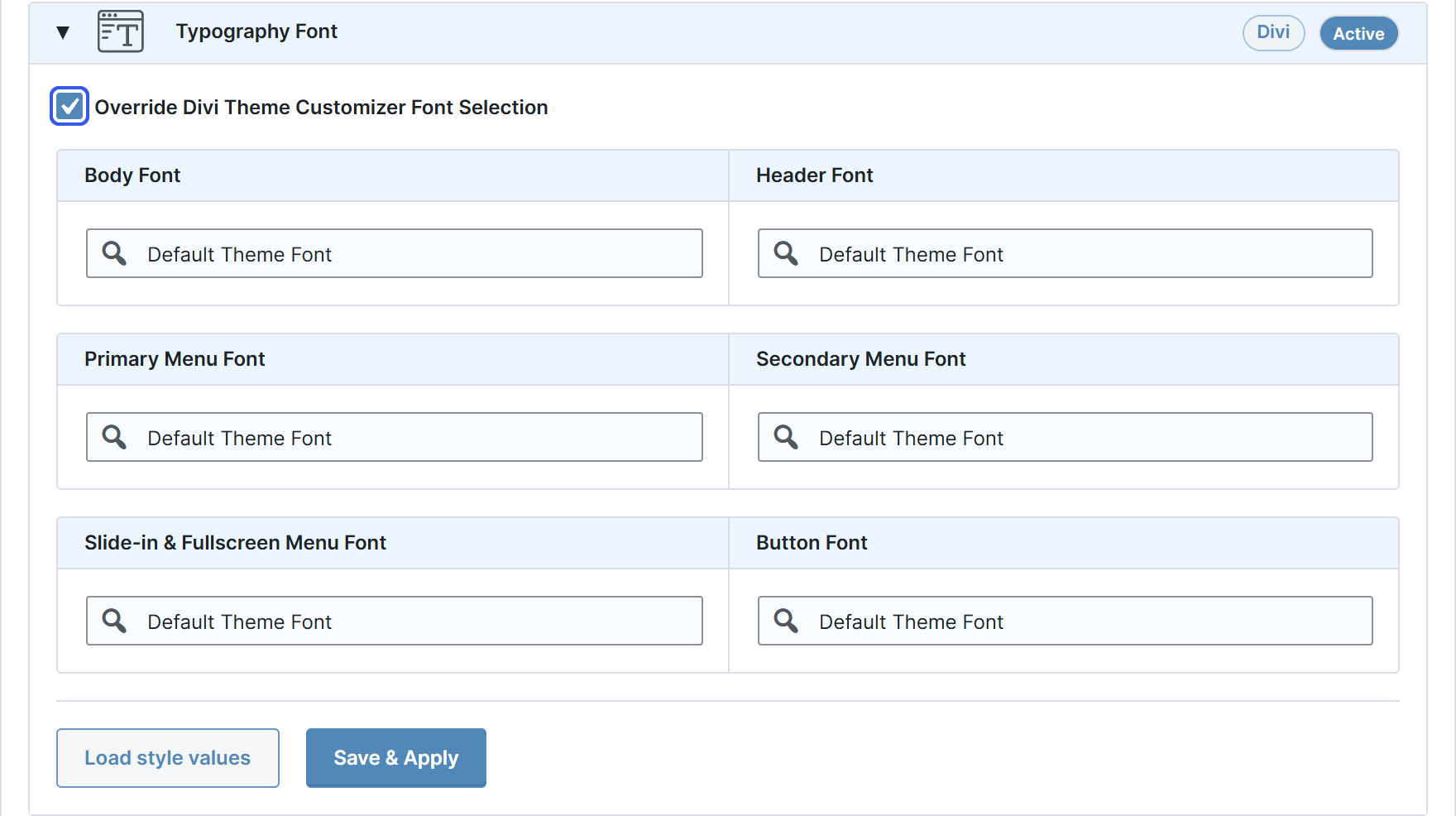
Choose fonts for body text, headings, primary and secondary menus, the slide-in menu and buttons from Divi’s native font list. Search by name instead of scrolling through the full list.
Enable Typography Font to let Fluid Base manage these choices. No Override leaves an individual field under Divi’s control, while Default Theme Font selects Divi’s default. Font choices are included in saved Fluid Base configurations.
The panel now appears first under Divi Builder Area Overrides, alongside the other Divi-specific controls.
Changelog
- Searchable fonts: Find Divi fonts by name and include your choices in saved configurations. Leave individual fields under Divi’s control with No Override.
- Clearer Setup: Shared variables and layout overrides are grouped separately, with the related controls together.
- Divi corrections: Fixes Audio Content padding in Divi 5 and preserves Fluid Base opt-outs when saving from Divi 4’s wireframe view.
- Updated Manual: English and German instructions and screenshots follow the revised panel order.
Existing settings and preset values are preserved.
Requires WordPress 6.6 or newer.